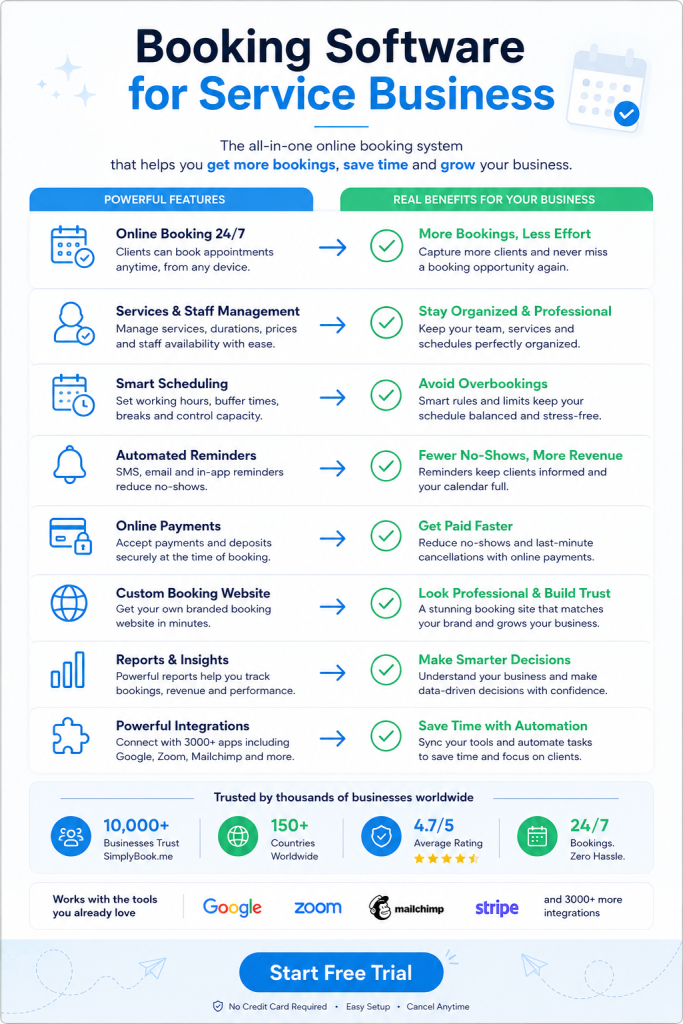
Your calendar fills with back-to-back client calls and double bookings still happen. Manual scheduling eats up hours you could spend actually consulting. Booking software for consultants turns chaos into a system that runs itself. The right tool pays for itself in the first week.
Why Booking Software for Consultants Solves the Scheduling Problem
Consultants lose money every time they play email tag with prospects. A client wants Tuesday at 2pm. You’re already booked. Three emails later, you find a slot. The client picked someone else.
Booking software shows your real availability in real time. Clients pick their own slot. No back and forth. No missed opportunities.
You also stop the double booking nightmare. One system holds all your appointments. It blocks off time automatically. Your Google calendar syncs so personal commitments don’t conflict with client meetings.
The time savings add up fast. Most consultants spend 5 to 10 hours per week on scheduling tasks. Software cuts that to under 30 minutes. You redirect those hours to billable work.
Features That Actually Matter in Booking Software for Consultants
Mobile booking comes first. Your clients book appointments from their phones during lunch breaks. Your booking page needs to load fast and look clean on small screens.
Payment collection at booking time changes your cash flow completely. Clients pay deposits upfront through Stripe or PayPal. No-shows drop by 80% when money is on the line. You also eliminate the awkward payment conversation after each session.
Automated reminders via email, SMS, and WhatsApp keep clients on track. The system sends a confirmation immediately after booking. It sends another reminder 24 hours before the appointment. You can customize these messages to match your brand voice.
Calendar integration with Google or Outlook prevents conflicts across your entire schedule. Block off personal time in one place. It appears as unavailable everywhere. Add a client meeting in your booking system. It shows up in your main calendar instantly.
Custom intake forms gather information before the first call. You ask specific questions about their business, challenges, and goals. Clients fill these out during booking. You review their answers before the meeting and show up prepared.
How Strategic Consultants Use Booking Software for Consultants
Strategy consultants typically offer different session types at different price points. A 30-minute discovery call costs nothing. A 90-minute deep dive session costs $500. A full-day workshop runs $3,000.
You set up each service type separately in your booking system. Each one has its own duration, price, and availability rules. Discovery calls only happen on Tuesday and Thursday mornings. Deep dives get scheduled any weekday afternoon. Workshops need two weeks advance notice.
This structure guides clients through your service ladder naturally. They book the free call first. During that call, you recommend the right next step. They book it immediately while motivation is high.
Some consultants block buffer time between appointments automatically. A 60-minute session actually blocks 75 minutes on your calendar. You get 15 minutes to write notes and decompress. The system handles this math without you thinking about it.
Marketing Consultants and Multi-Channel Booking
Marketing consultants need booking options everywhere their audience hangs out. Your website is obvious. But clients also find you on LinkedIn, Instagram, and Facebook.
Modern booking systems let people schedule from any platform. You embed a booking button on your Facebook business page. Instagram followers click the link in your bio. LinkedIn connections book directly from your profile. All appointments flow into one master calendar.
This multi-channel approach catches clients in the moment of interest. Someone reads your LinkedIn post about content strategy. They want help right now. One click takes them to your calendar. Two minutes later, they’re booked.
You can also create custom booking links for different marketing campaigns. Your email newsletter gets one link. Your podcast guest appearances get another. You track which channels drive the most bookings and double down there.
Managing Client Relationships Through Your Booking System
Your booking system becomes your client database over time. Every person who books leaves their contact information. The system stores their appointment history, services purchased, and total spending.
You see patterns you’d otherwise miss. Sarah books quarterly strategy sessions like clockwork. Mark keeps rescheduling at the last minute. Jennifer referred three new clients in two months.
This data helps you treat different clients differently. Sarah gets early access to your new workshop. You send Mark a gentle email about your cancellation policy. Jennifer receives a thank-you gift card.
Automated follow-up sequences happen without manual work. The system sends a feedback request two days after each appointment. It asks clients to leave a review. Positive reviews appear on your booking page. Future prospects see social proof from real clients.
You can also set up recurring appointments for retainer clients. They book the same time slot every week or month. The system creates all future appointments automatically. Clients get reminders. You never think about it again.
Pricing Models and Payment Features in Consultant Booking Tools
Most booking systems charge based on monthly booking volume. You pay more as you book more clients. This scales naturally with your business growth.
Free plans typically allow 50 to 100 bookings per month. That works for new consultants building their practice. Paid plans start around $10 to $20 monthly and remove limits.
The payment processing feature costs extra but saves massive headaches. Clients enter their card details during booking. The system charges them immediately or at appointment time. Money hits your account within days.
You can require full payment upfront for shorter sessions. Longer engagements work better with deposits. Charge 50% at booking and collect the rest after delivery. The system handles both scenarios automatically.
Some consultants use gift cards as a referral tool. A happy client buys a gift card for a colleague. That colleague books using the card. You get a new client. The referrer feels generous. Everyone wins.
Technical Requirements and Integration Options
Your booking system needs to connect with tools you already use. Most platforms offer native integrations with popular business software.
Accounting integrations with QuickBooks or FreshBooks sync payment data automatically. Every booking creates an invoice. Every payment records as income. Your books stay current without manual data entry.
Email marketing platforms like Mailchimp or ConvertKit add new bookers to specific lists. Someone books a discovery call. They join your prospect nurture sequence. Someone becomes a paying client. They move to your client newsletter list.
Video conferencing tools like Zoom generate unique meeting links for each appointment. The booking confirmation email includes the Zoom link. Clients click and join at appointment time. No separate calendar invite needed.
WordPress sites can embed booking forms directly into pages. Your services page shows available times right there. Visitors book without leaving your site. The experience feels native and professional.
Customization and Branding Opportunities
Your booking page represents your consulting brand. It needs to look like an extension of your website. Generic booking pages scream amateur.
Good systems let you customize colors, fonts, and logos completely. You match your brand guidelines exactly. Clients see a consistent experience from your marketing to booking to delivery.
Email and SMS notifications need customization too. The default “You have an appointment” message sounds robotic. Write something in your voice. Add a personal note. Include preparation instructions.
Confirmation emails can include links to helpful resources. Someone books a branding consultation. The confirmation links to your brand questionnaire and three relevant case studies. They arrive informed and ready to work.
Choosing the Right Platform for Your Consulting Practice
Start by listing your non-negotiable features. You might need video call integration, payment processing, and multi-location support. Other consultants need class scheduling, package deals, and waiting lists.
Test the mobile experience before committing. Book a fake appointment on your phone. Is it fast? Does it look professional? Would your ideal client complete this process? If you spot friction, they’ll abandon it.
Read reviews from other consultants in your niche. Career coaches have different needs than IT consultants. Find people doing similar work and learn from their tool choices.
SimplyBook.me offers a complete solution built for service professionals. It includes online booking, automated reminders through WhatsApp and SMS, secure payment processing, and a branded client app for your business. The platform handles multiple locations, syncs with your existing calendar, and grows as your practice expands.
Most platforms offer free trials without requiring credit cards. Spend two weeks actually using the system. Set up your services. Send test bookings to friends. Experience the client side and admin side fully.
Price matters but shouldn’t be the deciding factor. Cheap tools that frustrate clients cost more than premium tools that convert. Calculate the value of one additional booked client per month. The software likely pays for itself many times over.
Common Mistakes Consultants Make With Booking Systems
Offering too many appointment types confuses potential clients. You list 12 different service options. People freeze and book nothing. Start with three clear choices. Add more only when clients specifically request them.
Making availability too limited backfires. You only offer Tuesday mornings. Half your prospects can’t make that work. They book with a more flexible competitor. Open up more slots even if they feel inconvenient at first.
Skipping the intake form wastes the first 15 minutes of every call. You ask basic questions they could’ve answered beforehand. Create a short form with five to seven key questions. Review answers before each meeting.
Forgetting to test the entire booking flow leads to lost clients. Your payment processor isn’t connected properly. Bookings fail at checkout. You never know how many people tried and gave up. Test everything monthly.
Not promoting your booking link costs you easy conversions. You mention scheduling in emails but don’t include the link. People mean to book later and forget. Put your booking link everywhere. Email signatures, social bios, website headers, video descriptions.
Advanced Strategies for Experienced Consultants
Create VIP booking pages for premium clients. They see exclusive time slots not available to regular bookers. They skip the standard intake form because you already know them. Small touches like this increase perceived value.
Use booking data to adjust your pricing. Track which services sell out fastest. Those are underpriced. Raise rates by 20% and see what happens. Track which time slots fill first. Charge more for peak times.
Set up package deals that require multiple bookings upfront. Clients buy five sessions at once and save 15%. You get cash flow certainty. They commit to the engagement. Everyone benefits from the structure.
Build waiting lists for popular time slots. Your Friday afternoons fill immediately. Someone requests Friday at 3pm but it’s booked. They join the waiting list. If that slot opens, they get notified automatically.
Connect your booking system to your CRM for complete client tracking. Appointments flow into your CRM as activities. You see the full relationship timeline in one place. Proposals, contracts, bookings, and deliverables all connect.
Try SimplyBook.me free for 14 days and automate your entire scheduling process today.
Frequently Asked Questions
How much does booking software typically cost for consultants?
Most booking platforms charge between $10 and $50 monthly for consultants. Price depends on monthly booking volume and features you need. Free plans work for new consultants handling under 50 bookings monthly. Payment processing adds roughly 3% per transaction on top of base fees.
Can clients book appointments across different time zones automatically?
Yes, modern booking systems detect each client’s time zone automatically. Your availability shows in their local time. The system converts everything behind the scenes. You see appointments in your time zone while clients see theirs. This prevents confusion and missed meetings completely.
What happens if a client needs to reschedule their appointment?
Clients can reschedule themselves through the booking system. They receive a link in their confirmation email to modify appointments. You set rules like requiring 24 hours notice for changes. The system blocks last-minute reschedules automatically and sends you notifications about any changes.
Do I need technical skills to set up a booking system?
No coding or technical knowledge is required for most platforms. You fill out forms describing your services, availability, and pricing. The system generates your booking page automatically. Embedding on your website typically involves copying one line of code. Most consultants complete setup in under two hours.
Can I accept both online payments and cash for consultations?
Yes, most booking systems support multiple payment methods simultaneously. You can enable online card payments through Stripe or PayPal. You can also mark services as cash or check payment. Some platforms include point-of-sale features for in-person card processing too.