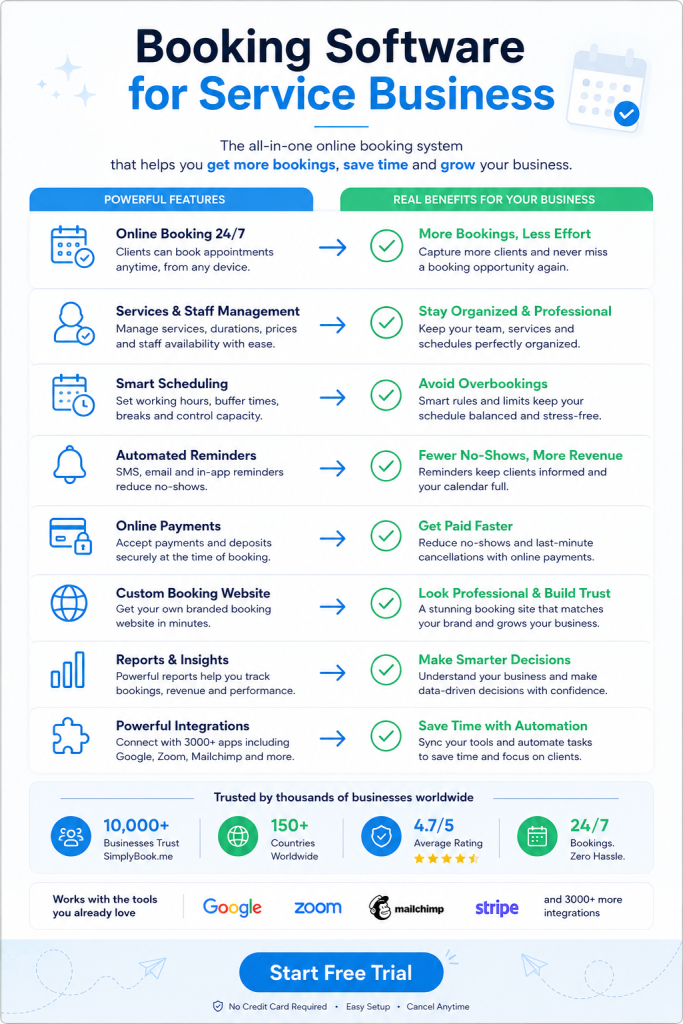
Patient no-shows at medical clinics cost the average practice thousands yearly. Booking software for clinics solves this problem with automated reminders and confirmations. It also frees staff from answering phones all day. The right system pays for itself within weeks.
Why Booking Software for Clinics Differs From General Appointment Tools
Medical practices face requirements that hair salons and gyms don’t. HIPAA compliance protects patient data in the United States. Similar regulations exist worldwide for healthcare providers. Generic booking tools weren’t built with these rules in mind.
Clinics also handle complex scheduling scenarios. A dermatology appointment might need 15 minutes. A physical therapy session could require an hour. Some patients need recurring weekly visits for months. Others book one consultation and never return.
Insurance verification adds another layer. Staff must confirm coverage before appointments happen. They need space to store insurance cards and medical forms. A specialized clinic scheduling platform handles these workflows without custom programming.
How Booking Software for Clinics Reduces Administrative Workload
Phone tag consumes hours every week at busy practices. Patients call during lunch breaks. Staff members are with other patients. Messages pile up. Return calls lead to more voicemail.
Online scheduling breaks this cycle completely. Patients book appointments at midnight if they want. They see available slots in real time. No waiting on hold. No playing phone tag for three days.
Staff time shifts from answering phones to patient care. Receptionists can focus on checking in arrivals. They help with paperwork and insurance questions. The software handles the repetitive booking and confirmation work.
Cancellations and rescheduling happen automatically too. Patients log into their portal and move their appointment. The system updates the calendar instantly. It sends new confirmation details without human involvement.
Patient Reminder Systems That Actually Work
Text message reminders cut no-show rates dramatically. Studies show SMS reminders reduce missed appointments by over 30%. Patients check their phones constantly throughout the day. They rarely ignore a text about tomorrow’s appointment.
Email works for some demographics. Older patients often prefer email to texts. Younger patients might want WhatsApp notifications instead. Good booking software lets each patient choose their preferred channel.
Timing matters as much as the channel. Send one reminder three days before the appointment. Send another the day before. Send a final one two hours ahead. This sequence gives patients multiple chances to reschedule.
The content of reminders should include specific details. Date and time obviously. Provider name and location. Instructions for parking or finding the office. A link to reschedule if needed.
Online Payment Processing for Medical Appointments
Collecting copays at check-in slows down the front desk. Patients fumble for wallets. Credit cards get declined. Staff must process each payment manually while others wait.
Accepting payment during online booking solves multiple problems. Patients pay their copay or deposit when scheduling. They arrive ready for their appointment. No transaction delays at the front desk.
Some practices require deposits to reduce no-shows. A $25 deposit gets refunded at the appointment. Patients who don’t show lose the deposit. This policy dramatically improves attendance rates.
Payment integration needs to work with your existing processor. Stripe and PayPal are common options. Some systems connect directly to practice management software. The money flows into your account without manual transfers.
Intake Forms and Medical Documentation Through Booking Software for Clinics
Clipboards and paper forms waste appointment time. New patients arrive 15 minutes early to complete paperwork. They sit in the waiting room filling out pages. Staff then enters that information into the computer system.
Digital intake forms eliminate this double work. Patients complete forms before their appointment date. They do it from home on their schedule. The information flows directly into your system.
Medical history questions can be complex. Digital forms handle conditional logic easily. If a patient answers yes to medications, followup questions appear. If they answer no, those sections disappear.
File upload features let patients submit insurance cards and ID photos. They can upload referral letters from other doctors. Everything arrives before they walk through your door. Staff can verify insurance ahead of time.
Multi-Location Management in Booking Software for Clinics
Medical groups often operate multiple clinic locations. Doctors rotate between sites on different days. Patients need to see available slots across all locations.
Centralized scheduling prevents double-booking across sites. The system knows Dr. Smith works at the downtown clinic Mondays. She’s at the suburban location Wednesdays. Patients only see her available times at each place.
Some patients prefer specific locations over others. Others will travel farther for a sooner appointment. The booking interface should let them filter by location. They can also search by provider first and see where that person works.
Reporting needs to work across all locations too. You want to see total appointments system-wide. You also need breakdowns by individual clinic. Good software provides both views without manual spreadsheet work.
Integration With Existing Practice Management Systems
Most clinics already use electronic health record software. Patient charts live in that system. Billing happens there. Clinical notes get recorded there.
Your booking system needs to talk to your EHR. Appointments should flow automatically between systems. A patient books online through your scheduling software and the appointment appears in the EHR.
Some integrations are native and built-in. Others require API connections that your IT team configures. The easiest path is choosing booking software with proven EHR integrations.
QuickBooks and other accounting software integrations matter too. Payment data should flow to your bookkeeping system. This eliminates manual entry of transaction details.
Calendar Synchronization for Medical Providers
Doctors have complex schedules beyond patient appointments. They attend hospital rounds in the morning. Lunch meetings happen regularly. Continuing education takes them away periodically.
Google Calendar and Outlook sync prevents double-booking these commitments. The booking system checks the doctor’s personal calendar. It blocks those times from patient scheduling automatically.
This works both directions for maximum flexibility. An appointment booked through the clinic system appears on the doctor’s phone. A personal event added to their calendar blocks clinic booking times.
Multiple calendars can sync to one provider. A dentist might have a personal calendar and a hospital calendar. Both feed into the booking system. Patients only see truly available slots.
Reporting and Analytics for Clinic Operations
Data reveals patterns you can’t see day-to-day. Which appointment slots fill up fastest? Which stay empty week after week? What’s your actual show rate by time of day?
Booking volume trends help with staffing decisions. You might discover Tuesday mornings are always slow. That’s the time to schedule administrative work. Thursday afternoons might be consistently packed and need extra coverage.
Provider performance metrics show who generates the most appointments. New doctors might need marketing support to fill their schedules. Popular providers might need assistant support to handle demand.
Revenue reports connect appointments to actual income. Some appointment types generate high revenue per time slot. Others fill time but bring less money. This data informs which services to promote.
Mobile Access for Both Staff and Patients
Receptionists don’t sit at desks all day anymore. They move between exam rooms and the front desk. They need schedule access from anywhere in the clinic.
Mobile admin apps put the full schedule on every staff phone. They can check a patient in from the parking lot. They can confirm tomorrow’s appointments during lunch. Updates happen in real time across all devices.
Patient mobile apps create loyalty and convenience. Patients who download your app rebook more frequently. They get push notifications about appointments. Booking their next visit takes 30 seconds.
Your booking website must work perfectly on phones too. Most patients will access it from mobile browsers. The interface needs to be thumb-friendly and fast. Forms should be easy to complete on small screens.
Choosing the Right Booking Software for Clinics
Free trials let you test software before committing. Try SimplyBook.me for 14 days without entering payment information. Book test appointments as if you were a patient.
Check how the reminder system actually works. Send yourself test messages. Verify the timing and content. Make sure links work correctly on mobile devices.
Evaluate the setup process for complexity. Some systems take weeks to configure properly. Others work in hours. Consider whether you need implementation help from the vendor.
Pricing structures vary significantly across booking platforms. Some charge per provider per month. Others charge based on total bookings. Calculate costs at your expected volume. Factor in payment processing fees too.
Look at customer support availability and quality. When the system goes down at 8am on Monday, you need help immediately. Check if support is available during your business hours.
Request references from similar clinics. Talk to a pediatric practice if you run pediatrics. Speak with a physical therapy clinic if that’s your specialty. Ask about their real experience after six months of use.
Start your free trial today and see how automated scheduling transforms your practice operations.
Frequently Asked Questions
What’s the average cost of booking software for clinics?
Pricing typically ranges from $30 to $200 per month per provider. Cost depends on features like payment processing and SMS reminders. Volume discounts apply at larger practices. Most vendors offer free trials before you commit to paying.
How long does it take to set up clinic booking software?
Basic setup takes one to three hours for small practices. You need to enter provider schedules and service types. Complex integrations with EHR systems can take several weeks. Most clinics start accepting online bookings within one business day.
Can patients book after regular business hours?
Yes, patients can book appointments 24 hours a day. The system accepts bookings at midnight or on weekends. You control which time slots appear as available. Staff reviews and confirms bookings during regular office hours.
Does booking software work with insurance verification?
Many systems include insurance card upload features. Patients photograph their cards during the booking process. Staff can verify coverage before the appointment date. Direct insurance verification requires integration with insurance databases.
What happens if the internet goes down during clinic hours?
Your appointment schedule remains accessible through mobile data on phones. Most systems store recent data locally for offline access. You can still check patients in manually. New online bookings pause until internet service returns.